Workflows
Workflow nodes
Reference for every sochub workflow node, grouped as in the editor palette, with its fields and the output later steps can read.
Nodes are the steps of a workflow. They are grouped in the editor palette as below. For each node: what it does, its fields (required fields are marked with * in the editor), and its output, which later steps read as steps.<node id>.output.
Text fields accept templates ({{ ... }}). Fields marked expression take a bare expression without {{ }}. See Filters, templates and pulling data.
Common settings, in the Inspector under the fields:
- Continue on error: if the step fails, it succeeds anyway with
output.errorset to the error, and the run continues. - Dry-run mock output (JSON): for steps that change something, the output to pretend in a dry run.
- Case ID (optional): case nodes act on the run’s case. Set this (for example
{{ loop.item.id }}) to act on another case of the organization.
Trigger
Trigger is the start node. It has no fields in the Inspector: the trigger type and filter (or cron expression) are set in the left panel. Its output is the trigger payload, also available as trigger. See Triggers.
Logic
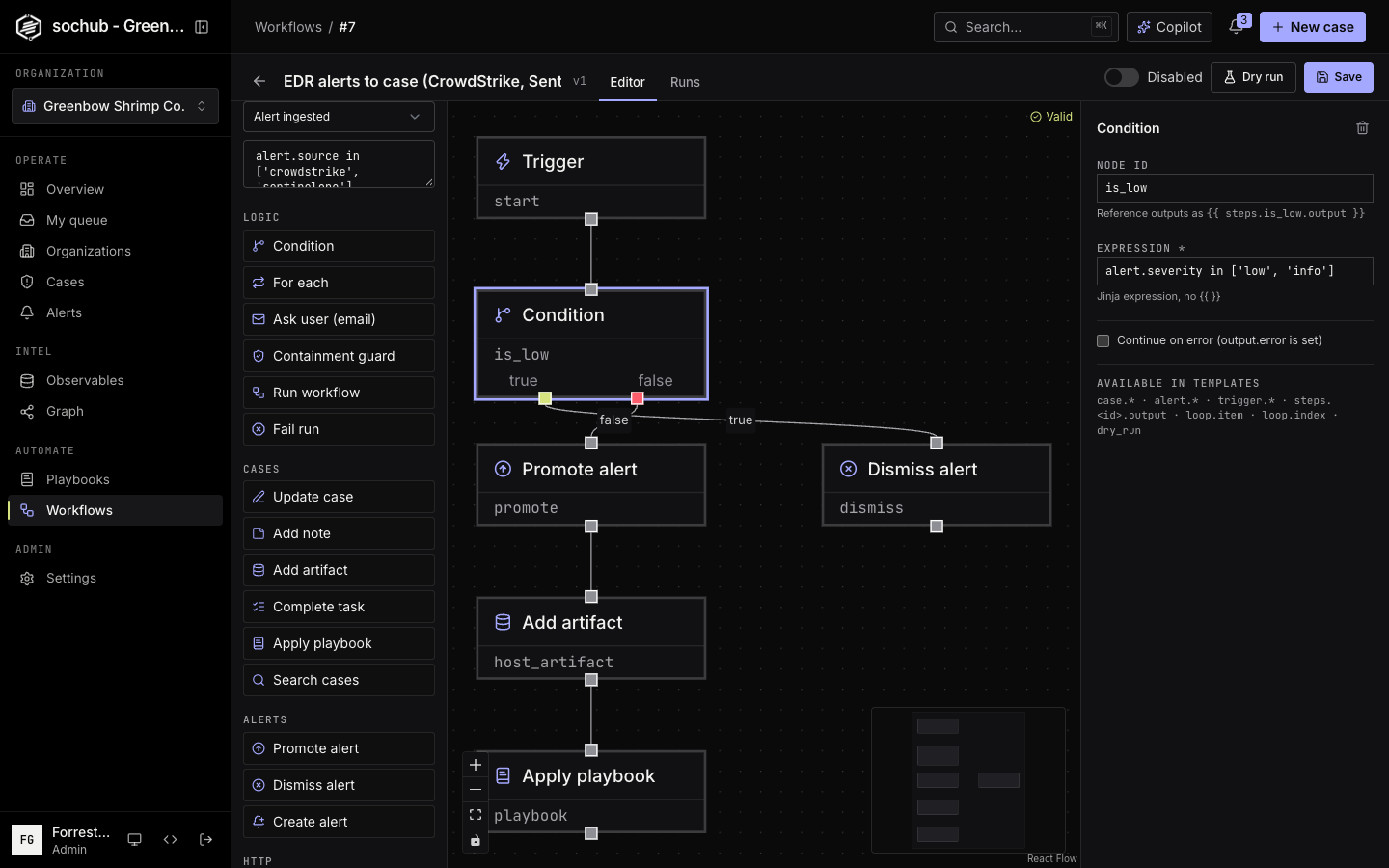
Condition
Evaluates an expression and follows the true or false output.
| Field | Notes |
|---|---|
| Expression * | Expression, for example 'phishing' in case.tags or steps.lookup.output.status == 200 |
Output: {result: true} or {result: false}. Steps on the branch not taken are skipped. An expression error fails the step.
For each
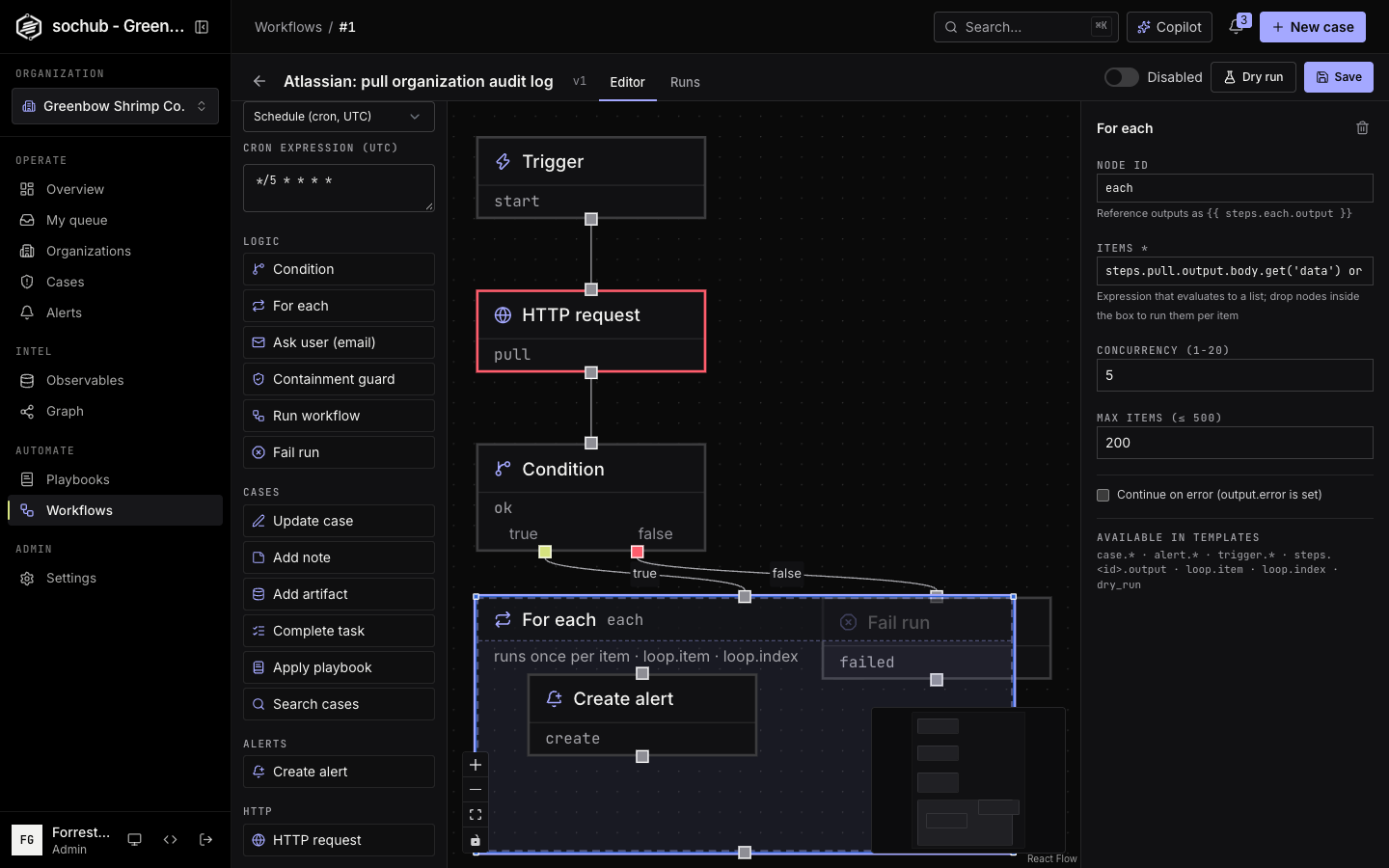
A box: steps you drop inside run once per item, each as its own child run.
| Field | Notes |
|---|---|
| Items * | Expression that returns a list, for example case.attributes_all.get('ip', []) or steps.pull.output.body |
| Concurrency (1-20) | Items processed at the same time. Default 5. |
| Max items (≤ 500) | Default 100. A longer list fails the step. |
Inside the box, use loop.item and loop.index. Steps inside can also read the main run’s steps.
Output, once every item is done:
{results: [{index, status, steps: {<node id>: <output>}}], succeeded, failed}If any item fails, the loop step fails, unless Continue on error is ticked on the loop (then it succeeds and output.error says how many failed). An empty list succeeds at once with no results. Loops can’t be nested, and Run workflow can’t be used inside one.
Ask user (email)
Emails a person a question and pauses the run until they answer or the time runs out. The email contains an Answer link to a one-time page where the person picks an answer.
| Field | Notes |
|---|---|
| User email * | For example {{ alert.payload.user_email }}. Must be at one of your organization’s email domains. |
| Question (plain text) * | Shown as plain text. |
| Answers (comma-separated, ≤ 5) | Default It was me, It wasn’t me. Up to 75 characters each. |
| Timeout (hours, ≤ 168) | Default 1. |
Output: {response, responder_email, target_email, timed_out}. On timeout, response is empty and timed_out is true; the run continues. Needs outgoing email to be configured on the server, and the number of these emails per organization per hour is capped.
Containment guard
Put it right before a step that isolates a host, suspends a user or blocks an IP. It checks the organization’s containment guardrails (Settings → Integrations): protected targets, the daily limit, and the per-case limit.
| Field | Notes |
|---|---|
| Action * | Label, for example Contain host (CrowdStrike) |
| Target kind * | host, user or ip |
| Target * | For example {{ case.attributes.get('hostname', '') }} |
| How to undo | Hint shown with the recorded action |
Allowed: the action is recorded on the case (with an activity entry) and the run continues. Output {allowed: true, action_id, target}. Refused: the refusal is recorded and noted on the case, and the step fails with the reason, which stops the run. In a dry run it checks the guardrails and records nothing.
Run workflow
Starts another enabled manual workflow of the organization on the same case. The started workflow runs on its own; this step does not wait for it.
| Field | Notes |
|---|---|
| Workflow name | Exact name. If two share the name, the newest wins. |
| or workflow ID | Use instead of the name. |
| Inputs (JSON) | Object, values templated. The started workflow reads it as trigger.inputs. |
| Case ID (optional) | Run it on another case. |
The started workflow also gets trigger.started_by (run_id, workflow_id, workflow_name of the caller). Output: {run_id, workflow_id, workflow_name, case_id}. Fails if the workflow is missing, disabled, not manual, the caller itself, or the chain is more than three workflows deep. A dry run starts nothing.
Fail run
Stops the run as failed with a message.
| Field | Notes |
|---|---|
| Message * | For example Pull failed: HTTP {{ steps.pull.output.status }} |
Use it on the false branch of a status check after a vendor API call. For a scheduled pull, a failed run keeps the time window, so the next run reads it again.
Cases
Update case
Changes the case.
| Field | Notes |
|---|---|
| Severity | critical, high, medium, low, info |
| Status | new, open, in_progress, pending, resolved, closed |
| Outcome | unknown, false_positive, true_positive_with_impact, true_positive_without_impact, legitimate |
| Closing note | Text |
| Assign to (email) | Must be an active analyst or admin of the organization |
| Add tags | Comma-separated, for example escalated, vip |
| Remove tags | Comma-separated |
| Case ID (optional) |
Closing or resolving a case needs an outcome and a closing note, set here or already on the case; otherwise the step fails. Output: {case_id, changes}, where changes lists what actually changed. A change starts Case updated workflows (see the loop guard in Safety limits).
Add note
Adds a note to the case activity, prefixed with [automation].
| Field | Notes |
|---|---|
| Note * | Templated text |
| Case ID (optional) |
Output: {case_id, event_id}.
Add artifact
Adds an artifact to the case.
| Field | Notes |
|---|---|
| Type * | ip, domain, url, file_hash, email, hostname, username, other. The key of a custom artifact type is also accepted. |
| Value * | For example {{ alert.payload.host }} |
| Description | |
| Case ID (optional) |
Output: {case_id, artifact_id}. An unknown type fails the step.
Complete task
Records a result on a case task and ticks it.
| Field | Notes |
|---|---|
| Result | Text shown on the task, for example User answered: {{ steps.ask.output.response }} |
| Result status | ok, warning or failed (templatable). Colors the result. Default ok. |
| Tick the task | Default true. false records the result and leaves the task open. |
| Task title (runs not started from a task) | Used only when the run was not started from a task. |
Which task: the one the run was started from (Run on a task); otherwise the task on the case with this title (not case-sensitive, open tasks first); otherwise the step does nothing and succeeds, so any workflow can end with it. A result adds an activity entry on the case.
Output: {task_id, completed, result_status}.
Apply playbook
Adds a playbook’s tasks to the case.
| Field | Notes |
|---|---|
| Playbook ID * | The id of one of your organization’s playbooks |
| Case ID (optional) |
Output: {case_id, tasks_added}.
Search cases
Finds cases of the organization. Read-only, so it also runs for real in dry runs.
| Field | Notes |
|---|---|
| Status in | Comma-separated, for example new, open, in_progress |
| Has any tag | Comma-separated |
| Title contains | Text, not case-sensitive |
| Has artifact value | Exact value, for example {{ alert.payload.src_ip }} |
| Created within (hours) | Number |
Output: {cases: [...], first, count}, newest first, at most 50. Each case has id, title, status, severity, tags, created_at. first is the newest match or empty.
Alerts
Promote alert and Dismiss alert only work in workflows triggered by Alert ingested, and only on an alert that is still pending.
Promote alert
Turns the run’s alert into a case, or attaches it to one.
| Field | Notes |
|---|---|
| Mode * | new: create a case. link: attach to the case in Case ID. group: reuse an open case with the same group key, else create one. |
| Case title (new/group) | Required for new and group, for example {{ alert.title }} |
| Description | |
| Severity | Default medium |
| Tags | Comma-separated |
| Group key (group) | Required for group, for example host:{{ alert.payload.host }} |
| Group window (hours) | Default 24. Only cases created within the window, and not resolved or closed, are reused. |
| Case ID (link) | Required for link |
Promotion copies data from the alert payload onto the case: values for custom artifact types that have a payload key, plus IP addresses, emails, URLs, domains and hashes found in the payload (up to 20). The alert’s status becomes promoted.
From this step on, the run’s case is the promoted case, so later case nodes act on it. Output: {case_id, created} (created is false when an existing case was used). A newly created case starts Case created workflows.
Dismiss alert
Sets the alert’s status to dismissed.
| Field | Notes |
|---|---|
| Reason | Templated, stored with the alert |
Output: {alert_id, dismissed: true}.
Create alert
Creates a pending alert from data the workflow fetched, typically in a scheduled pull. Works in any workflow.
| Field | Notes |
|---|---|
| Source * | 1-100 characters, for example okta |
| External ID * | 1-255 characters, for example {{ loop.item.uuid }}. An alert with the same source and external ID is never created twice. |
| Title * | Cut to 500 characters |
| Severity | critical, high, medium, low or info. Anything else becomes medium. |
| Payload | Expression that returns an object or list (up to 256 KB), for example loop.item |
Output: {alert_id, created}. created is false when the alert already existed; that does not start Alert ingested workflows again. A new alert does, unless a suppression rule matches it. If the severity was replaced by medium, the output also has severity_defaulted: true.
HTTP
HTTP request
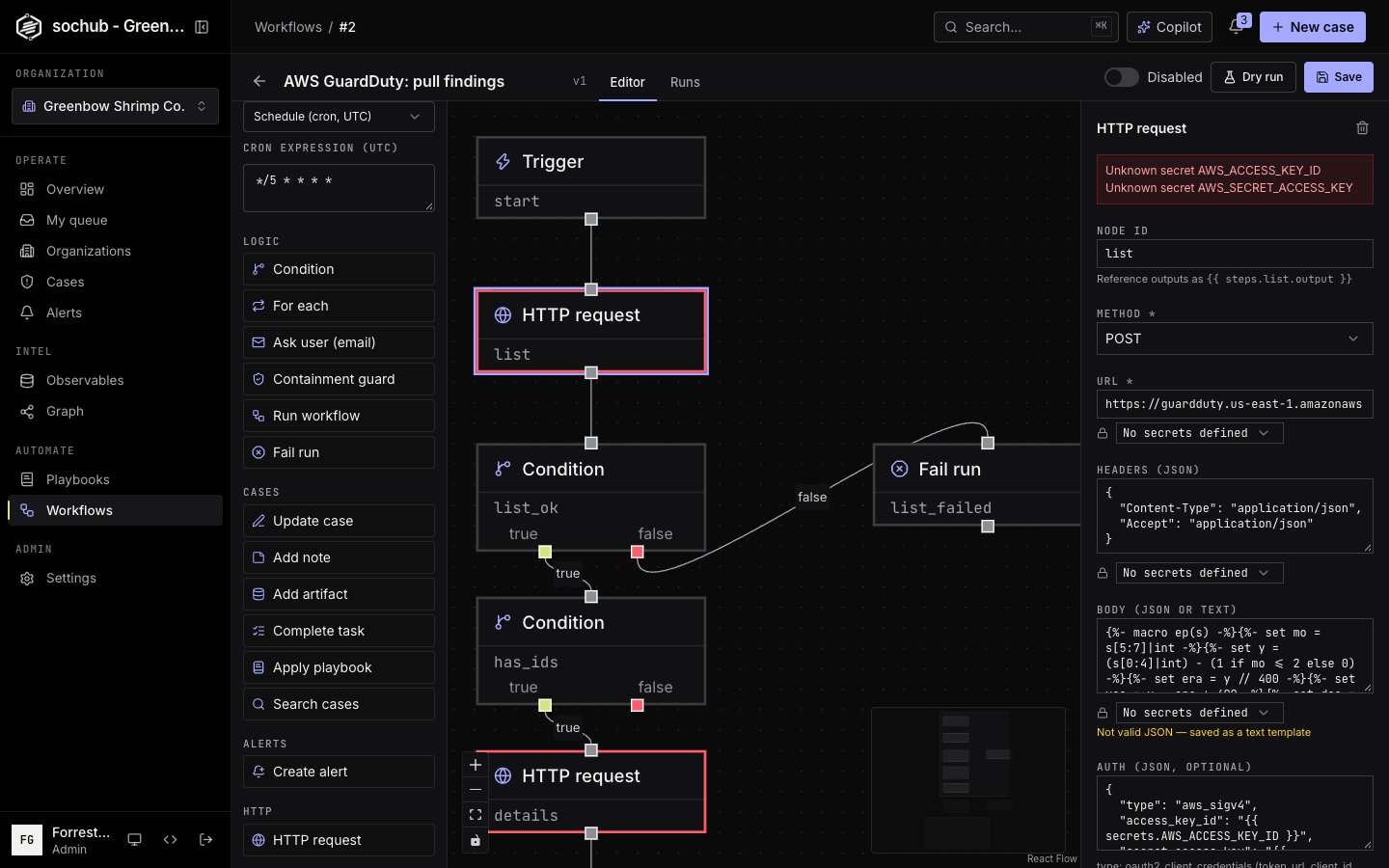
Calls an HTTP API.
| Field | Notes |
|---|---|
| Method * | GET, POST, PUT, PATCH, DELETE |
| URL * | For example https://hooks.example.com/{{ case.id }} |
| Headers (JSON) | Object, for example {"Authorization": "Bearer {{ secrets.VENDOR_TOKEN }}"} |
| Body (JSON or text) | A JSON object or list is sent as JSON; anything else as text. Values are templated. |
| Auth (JSON, optional) | Built-in authentication, see below |
Extra settings in the Inspector: retries (0-2) (default 2) and Really execute during dry runs (for read-only lookups).
Output:
{status, headers, body}body is parsed JSON when the answer is JSON, otherwise text. A 4xx answer does not fail the step: branch on output.status with a Condition. Network errors, timeouts and 5xx answers are retried (after 10 s, then 60 s) and then fail the step. Each attempt times out after 15 seconds. Response bodies over 1 MB are cut and output.truncated is true. Redirects are not followed.
Auth types. The secret fields must be secret references like {{ secrets.NAME }}:
type |
Fields |
|---|---|
oauth2_client_credentials |
token_url, client_id, client_secret, optional scope, audience |
oauth2_private_key_jwt |
token_url, client_id, private_key (PEM or JWK), scope, optional key_id, dpop (true/false) |
basic |
username, password |
aws_sigv4 |
access_key_id, secret_access_key, optional session_token, region, service |
google_service_account |
service_account_key (the JSON key), scopes, optional subject |
sochub fetches or signs the credentials inside the step and sends them only to hosts the secret allows. Tokens, signatures and keys never appear in the output or errors. Requests that carry credentials must use https://. Private and internal addresses are refused unless allowed; see HTTP requests and the allowlist.
Slack
Both Slack nodes need the organization’s Slack integration (Settings → Integrations). In the message fields, values you insert are escaped for Slack.
Ask user (Slack)
Sends a direct message with buttons to the Slack member with the given email, and pauses the run until they click or the time runs out. A waiting run does not hold a worker.
| Field | Notes |
|---|---|
| User email * | For example {{ alert.payload.user_email }}. An empty value fails the step. |
| Question (mrkdwn) * | For example Did you just sign in from {{ alert.payload.country }}? |
| Buttons (comma-separated, ≤ 5) | Default Yes, No |
| Timeout (hours, ≤ 168) | Default 24. Fractions work (0.5). |
Output: {response, responder_slack_id, responder_email, email, timed_out}. response is the clicked button label; email is the address that was asked. On timeout, response is empty and timed_out is true, and the run continues. Branch with a Condition such as steps.ask.output.response == 'No' or steps.ask.output.timed_out.
Cancelling the run changes the message to “This request was withdrawn.”
Slack message
Posts a message to a channel.
| Field | Notes |
|---|---|
| Channel | Blank uses the integration’s default channel. The bot must be in the channel. |
| Message (mrkdwn) * | For example :rotating_light: *{{ case.title }}* ({{ case.severity }}) |
| Case buttons | yes adds case buttons (Acknowledge, Assign to me, Close and more) for the run’s case |
| Case ID (optional) | The case the buttons act on |
Output: {channel, ts}.
Found a mistake? Edit this page or open an issue on GitHub.