Alerts
Alerts
Bring alerts in from your tools, triage them, filter by any field, promote them to cases and suppress known noise.
Alerts come from the tools you already run (SIEM, EDR, email security, identity providers, cloud). sochub doesn’t detect anything itself; it is where alerts are triaged and turned into cases.
How alerts arrive
- Webhooks. Create one webhook per source in Settings → Integrations. Each has its own API key; the tool
posts alerts to
POST /api/v1/alerts/webhookwith the headerX-API-Key. The key decides the organization, so a leaked key can only ever write into its own organization. - Pull workflows. Scheduled workflows call a vendor API and create alerts. Ready-made ones exist for CrowdStrike, SentinelOne, Microsoft Defender, AWS, Google Workspace, Okta, Cloudflare, Atlassian and more (Workflows → Templates).
- Email. An admin can connect an IMAP mailbox (for example the phishing-report inbox); new mail starts workflows and can become an alert.
Ingestion is idempotent on source and external_id: re-sending the same alert returns the existing one and
doesn’t start workflows again, so senders can retry safely. A tool that fires the same detection again later
should send a new external_id for each firing.
A minimal webhook call:
curl -X POST https://sochub.example.com/api/v1/alerts/webhook \
  -H "X-API-Key: $SOCHUB_WEBHOOK_KEY" -H "Content-Type: application/json" \
  -d '{"external_id": "det-4711", "title": "Brute force on VPN", "severity": "high",
       "payload": {"src_ip": "203.0.113.7", "user": "jenny@example.com"}}'
Triage
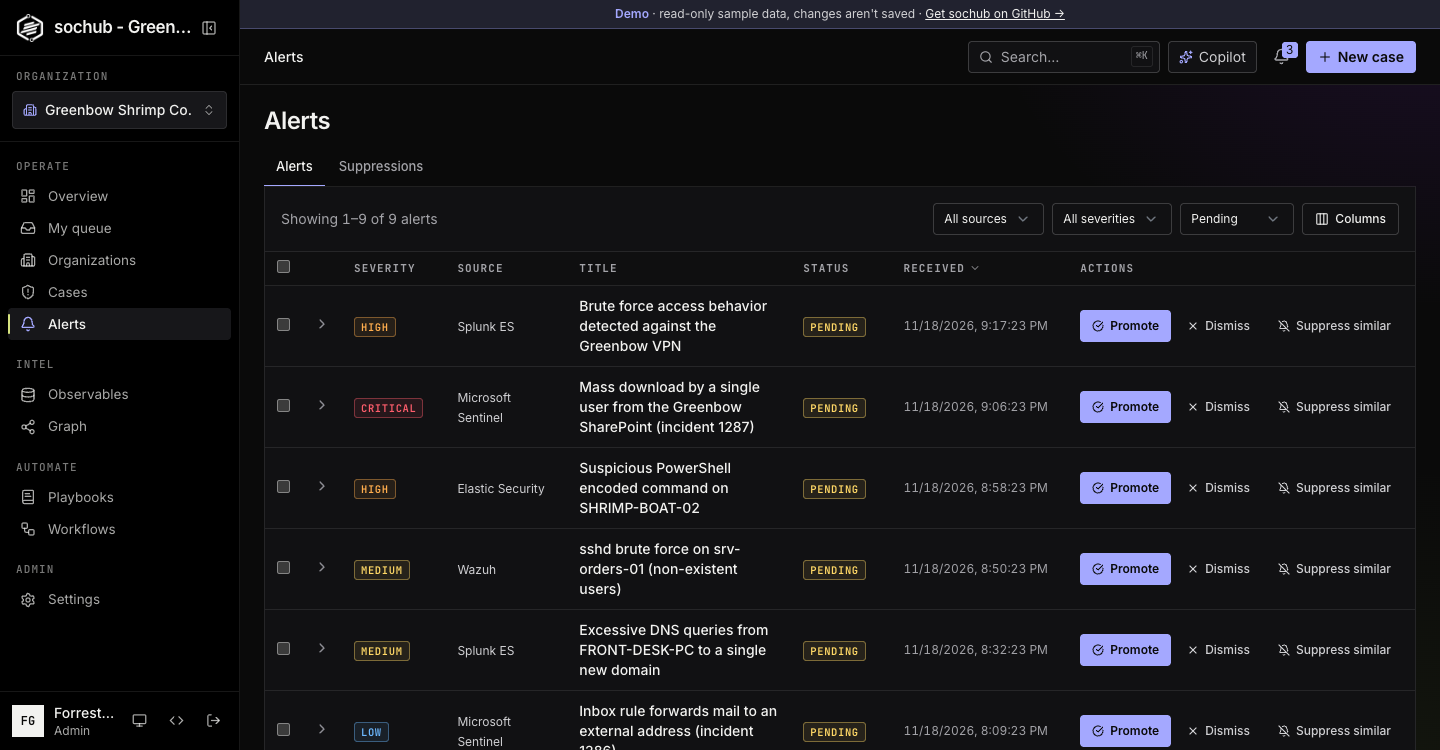
Each alert shows its severity, source, title, status and when sochub received it. Expand a row to read the full payload. From the row:
- Promote creates a new case from the alert, or adds it to an existing case. The payload is attached, and the IPs, emails, URLs, domains and hashes found in it are added as artifacts, along with any custom artifact types your admin mapped to payload fields.
- Dismiss closes the alert with a reason.
- Suppress similar opens a suppression rule pre-filled from this alert.
Filtering by any field
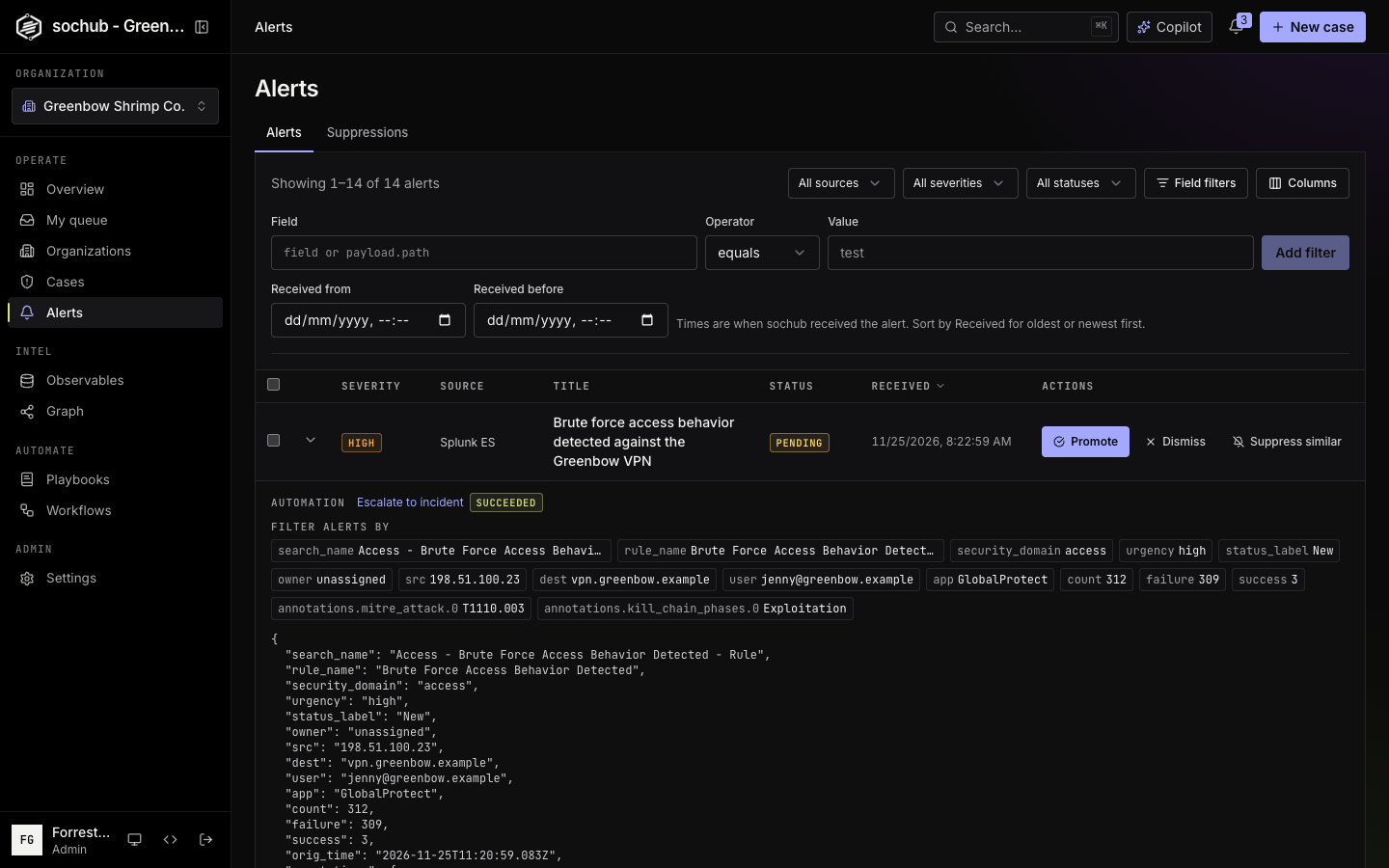
Field filters narrows the list by any field your integration sends: the agent, host, user, source IP, rule and so on. Each condition is a field, an operator and a value:
- Fields:
source,title,severity, orpayload.<path>, nested paths included (payload.agent.name). The Field box suggests paths seen in recent alerts of the selected source. - Operators: equals, is not, contains, starts with, ends with, in CIDR. Comparisons ignore case.
- All conditions must hold, together with the source, severity and status filters.
- A list or object field matches as its JSON text, so contains finds one item in a list such as rule groups.
In an expanded alert, Filter alerts by turns any short payload value into a filter with one click. Received from / before limits the time window; sort by Received to read one endpoint’s alerts in order. Filtering runs on the server across all alerts, and the filters are kept in the URL, so a filtered view is a link you can share.
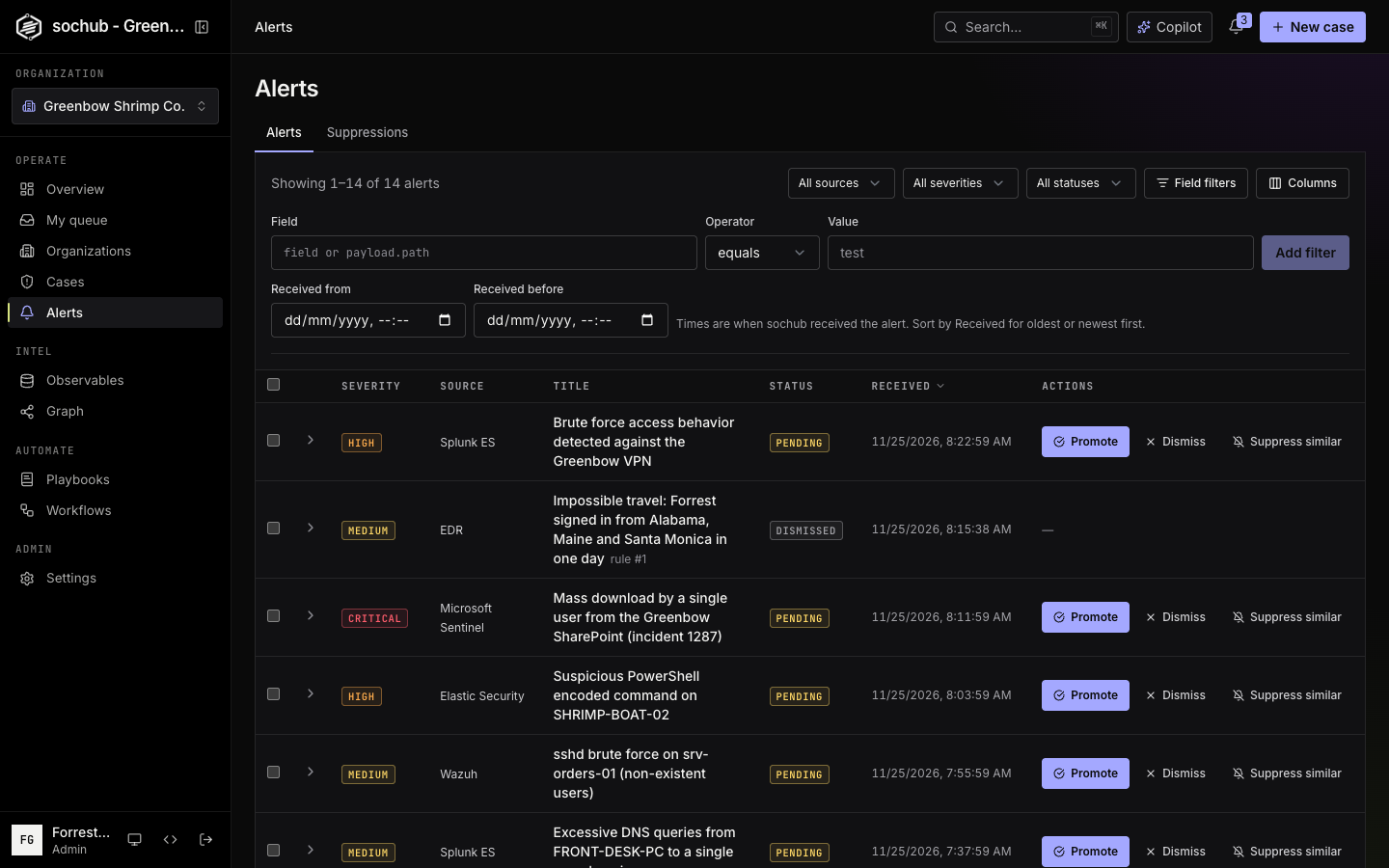
The same filters are available over the API: GET /api/v1/alerts/?where=[{"field":"payload.agent_name","op":"equals","value":"web-01"}],
and GET /api/v1/alerts/fields lists the known field paths.
Suppression rules
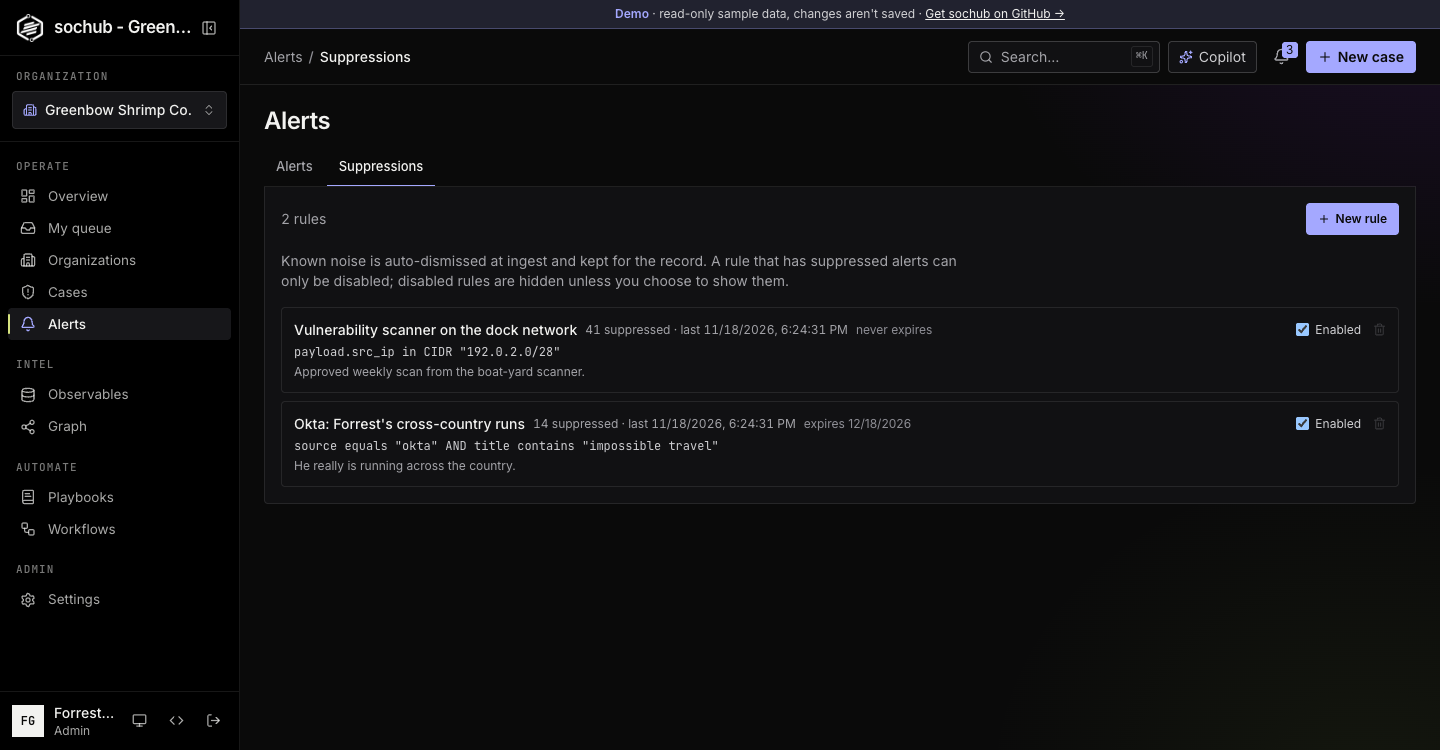
Alerts → Suppressions holds rules for known noise: a VPN egress range, an approved scanner, a service account. A rule uses the same conditions as the field filters above (no regular expressions).
- A new alert that matches an enabled rule is stored as dismissed, linked to the rule (“Suppressed by rule #N”), and starts no workflows. Nothing is dropped.
- Rules expire after 7, 30 or 90 days, or never. Preview shows how many of the last 500 alerts a rule would have matched, and warns when that is most of them.
- A rule that has suppressed anything keeps its hit count and can only be disabled, not edited or deleted, so the history stays explainable. Every change and every suppression is in the audit log.
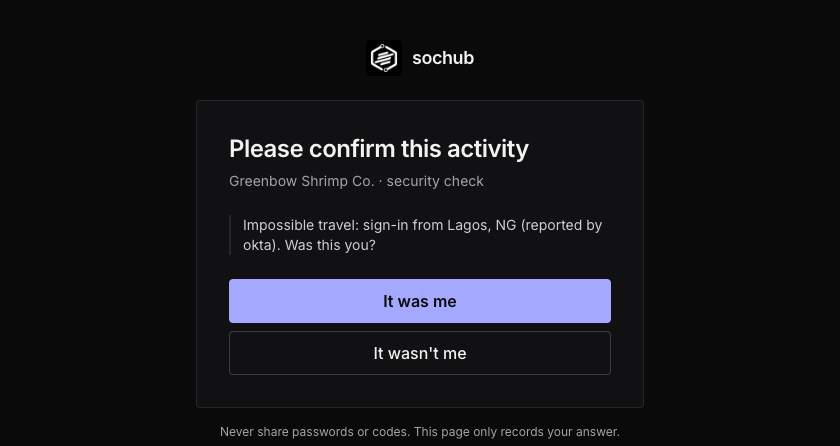
“Was this you?”
Two built-in workflows ask the user named in an identity alert whether the activity was theirs, by email or on Slack. It was me dismisses the alert with the answer as the reason; It wasn’t me, or no answer within an hour, promotes it to a high-severity case with a note. Silence never closes an alert. Because anyone who controls the user’s mailbox or Slack can answer, keep this for low and medium alerts.
Found a mistake? Edit this page or open an issue on GitHub.