Playbooks and tasks
Playbooks and tasks
Import response playbooks, apply them to cases as phase-grouped tasks, assign tasks, open tickets and run workflows from them.
Playbooks
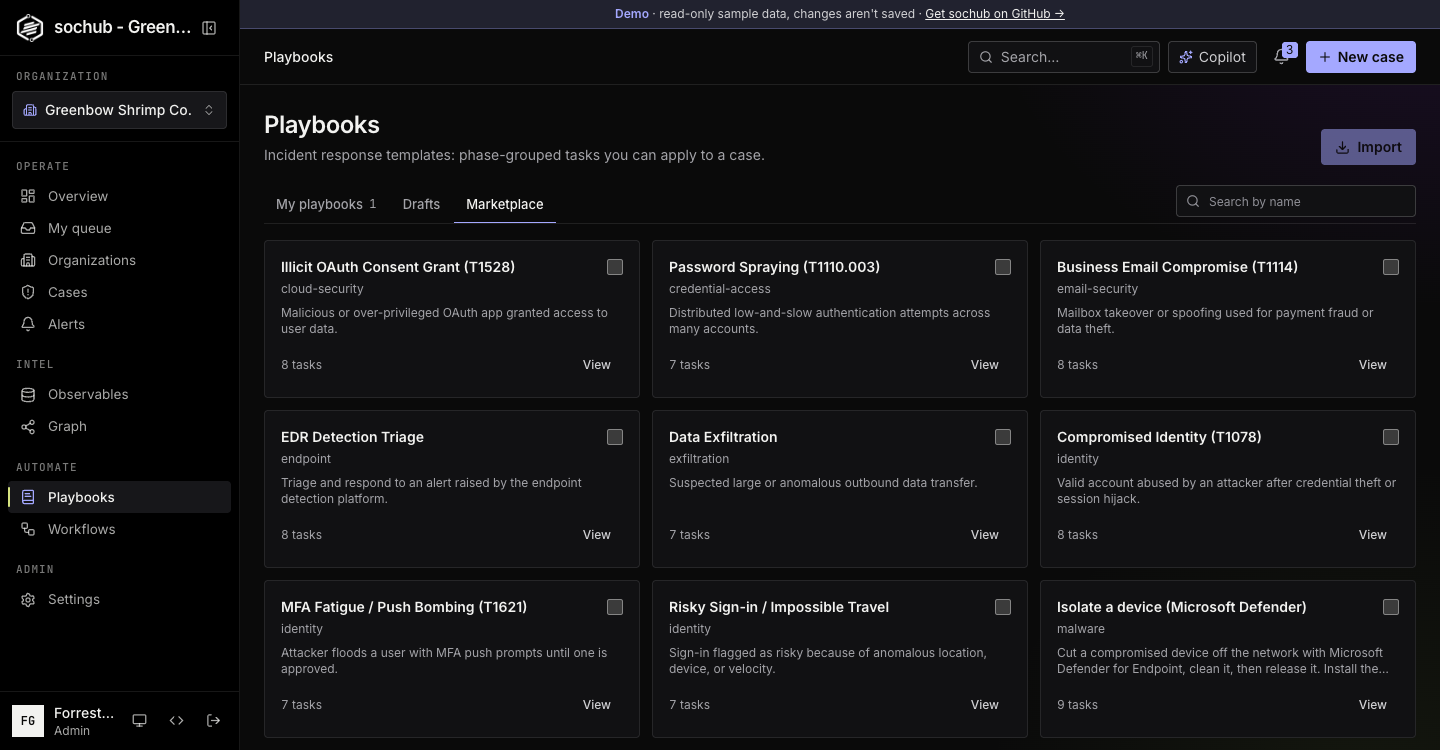
A playbook is a reusable list of response tasks grouped by incident-response phase: Identification, Containment, Eradication, Recovery and Lessons learned, mapped to MITRE ATT&CK.
Playbooks → Marketplace is a shared catalog (phishing, ransomware, malware, unauthorized access, data exfiltration, password spraying and more). Import copies a playbook into your organization, where you own and edit it. Admins can also write their own.
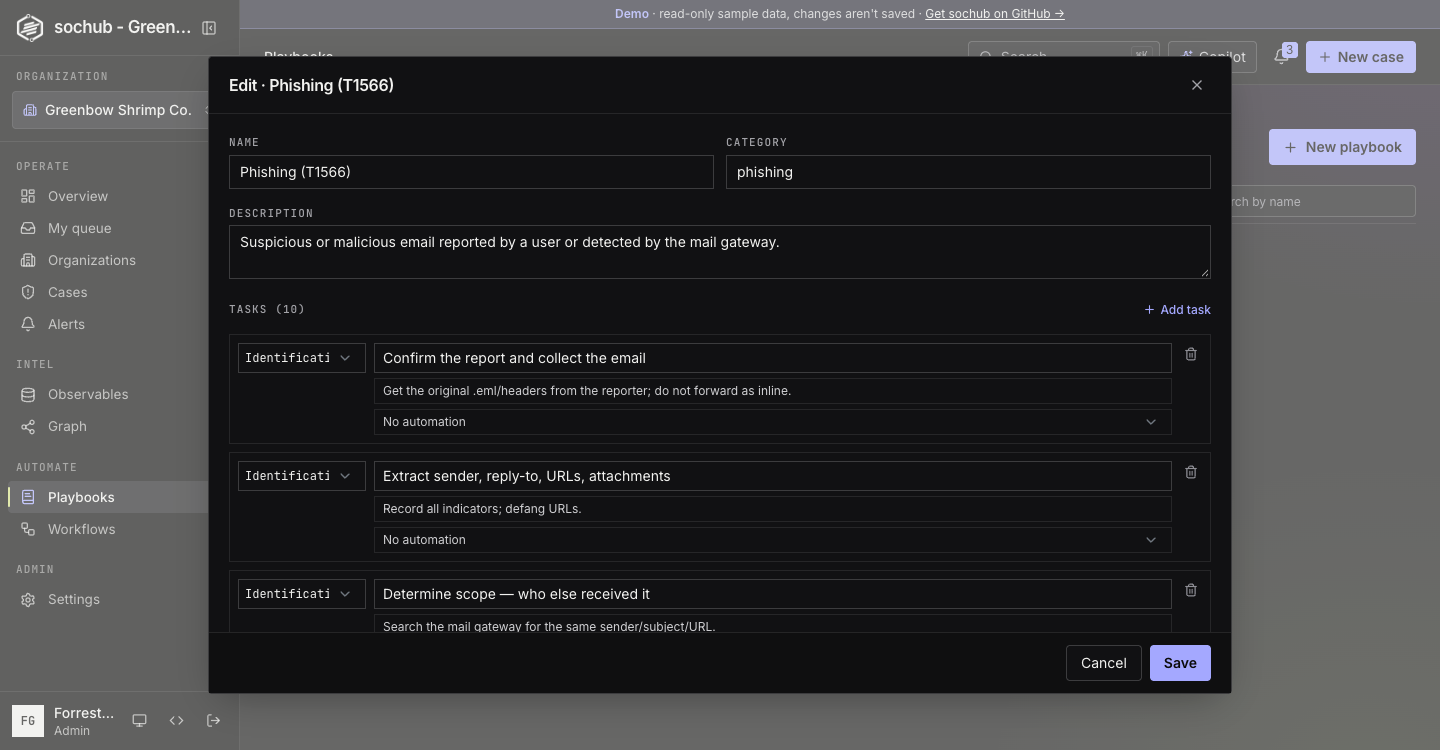
A task in your own playbook can link a manual workflow (for example Isolate device on the task “Isolate the host”). Every case that gets the playbook gets the task with its workflow.
Tasks on a case
The case’s Tasks tab lists its tasks by phase with a progress bar. Add tasks by:
- Apply playbook: picks one of your playbooks and adds all its tasks;
- starting a case from a playbook when you create it;
- Add task: one task by hand, with its phase, title and optionally a workflow.
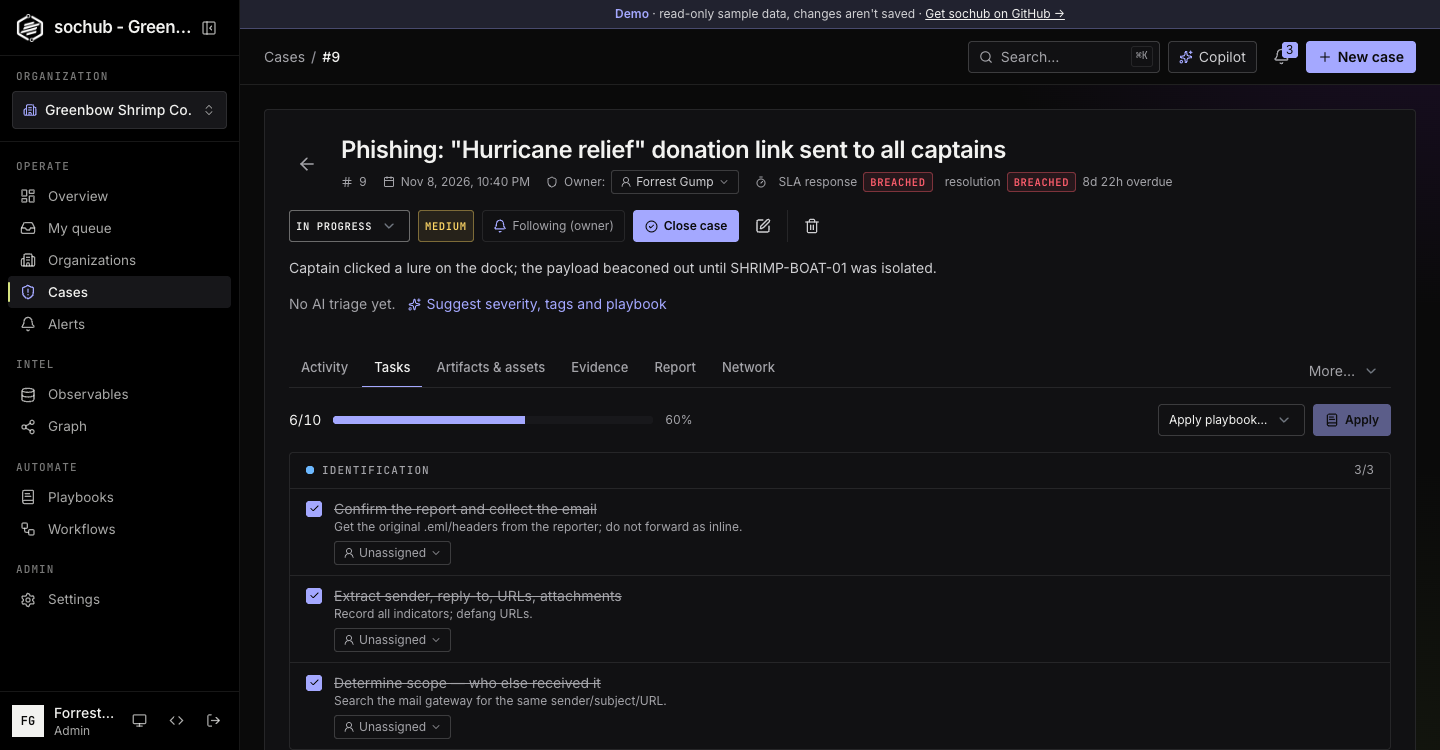
On each task you can:
- Tick it done (and reopen it). Completing and reopening are recorded in the case activity.
- Assign it to an analyst or admin; they are notified and start following the case.
- Create ticket in your ticketing system (see below).
- Run its linked workflow on the case. The tab follows the run and links to it. A workflow’s Complete task step can record the result on the task (shown in green, amber or red) and tick it.
Tickets
When an admin connects a ticketing system (Jira Cloud or Data Center, HaloPSA, ConnectWise Manage), tickets belong to tasks, not to whole cases: hand one task (for example “Reset the user’s password”) to the team that works in the ticketing tool, and keep the rest of the case in sochub.
- Create ticket on a task opens a ticket titled
[SOC Hub #<case>] <task>with the task, case title, severity and a link. Optionally, tasks get a ticket automatically on cases at or above a chosen severity. - Every 5 minutes (or Sync now) the ticket’s status shows on the task and new ticket comments land in the case activity. Closing the ticket ticks the task.
- Ticking the task in sochub posts the result on the ticket. Nothing else from the case is posted.
Found a mistake? Edit this page or open an issue on GitHub.